I was spending about 45 minutes every day just replying to emails. Same questions. Same answers. Copy paste. Send. Repeat. One day I thought there must be a smarter way.
And there was. I built an AI email agent in Zapier. No code. It took me around 20 minutes. Now it handles most of my inbox while I focus on real work.
This is how I did it.
What it actually does
My agent does three things when a new email comes in:
- Reads the email and figures out what the person wants
- Drafts a reply based on my FAQs and past responses
- If it doesn't know the answer, it pings me on Slack instead of guessing
That's it. Simple. But it saves me almost an hour a day.
You don't need to be a developer for this. If you can use Gmail and write in plain English, you can build this. Zapier handles everything else.
What you need
Before we start, make sure you have these:
| Tool | Cost | Why |
|---|---|---|
| Zapier account | Free to start | Where you build the agent |
| Gmail | Free | Where emails come in |
| Slack | Free | Where it pings you if it's unsure |
| A Google Doc or PDF | Free | Your FAQ or knowledge base |
That's the whole list. No API keys. No subscriptions. Nothing scary.
Build it step by step
Go to agents.zapier.com
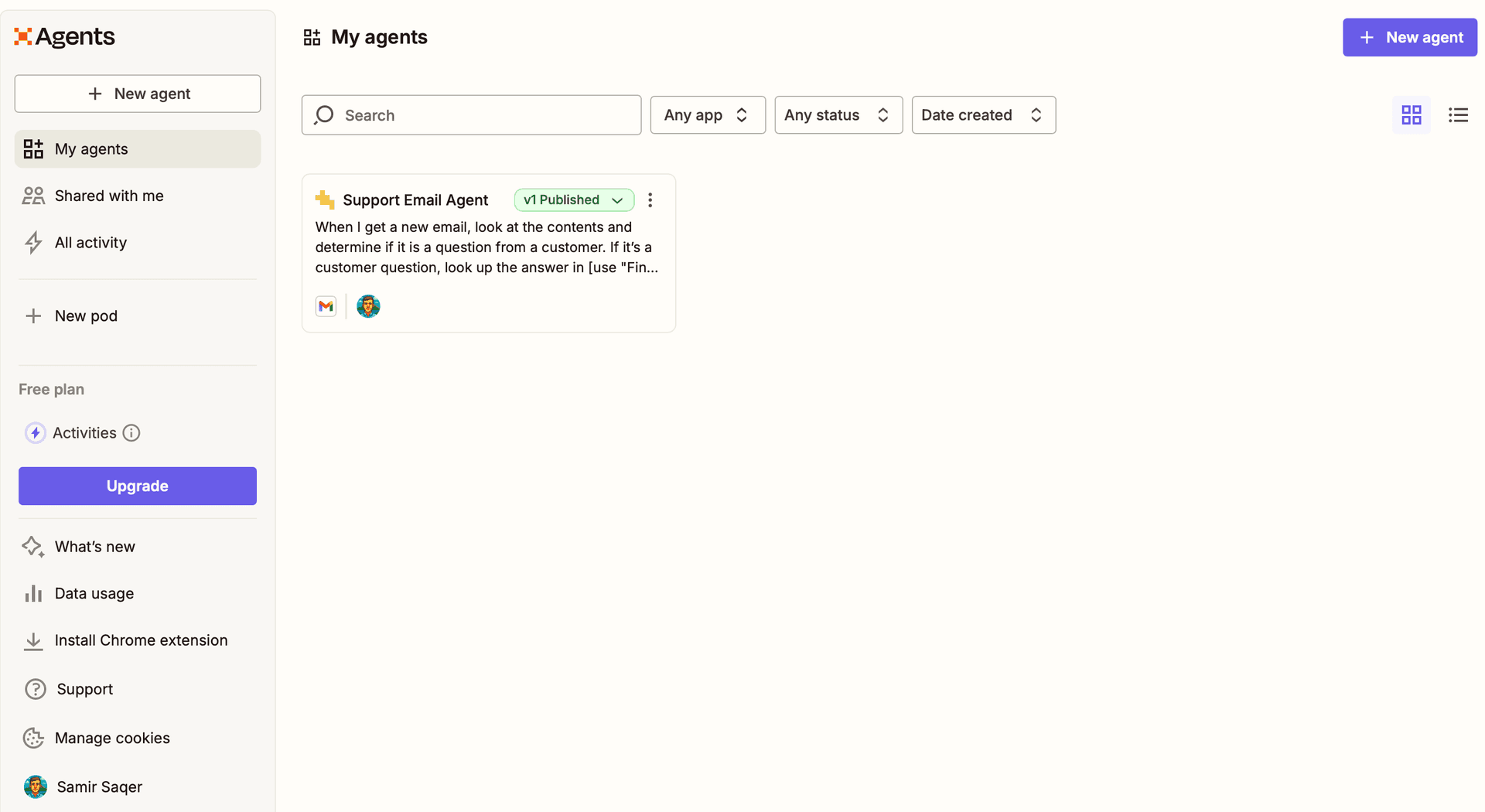
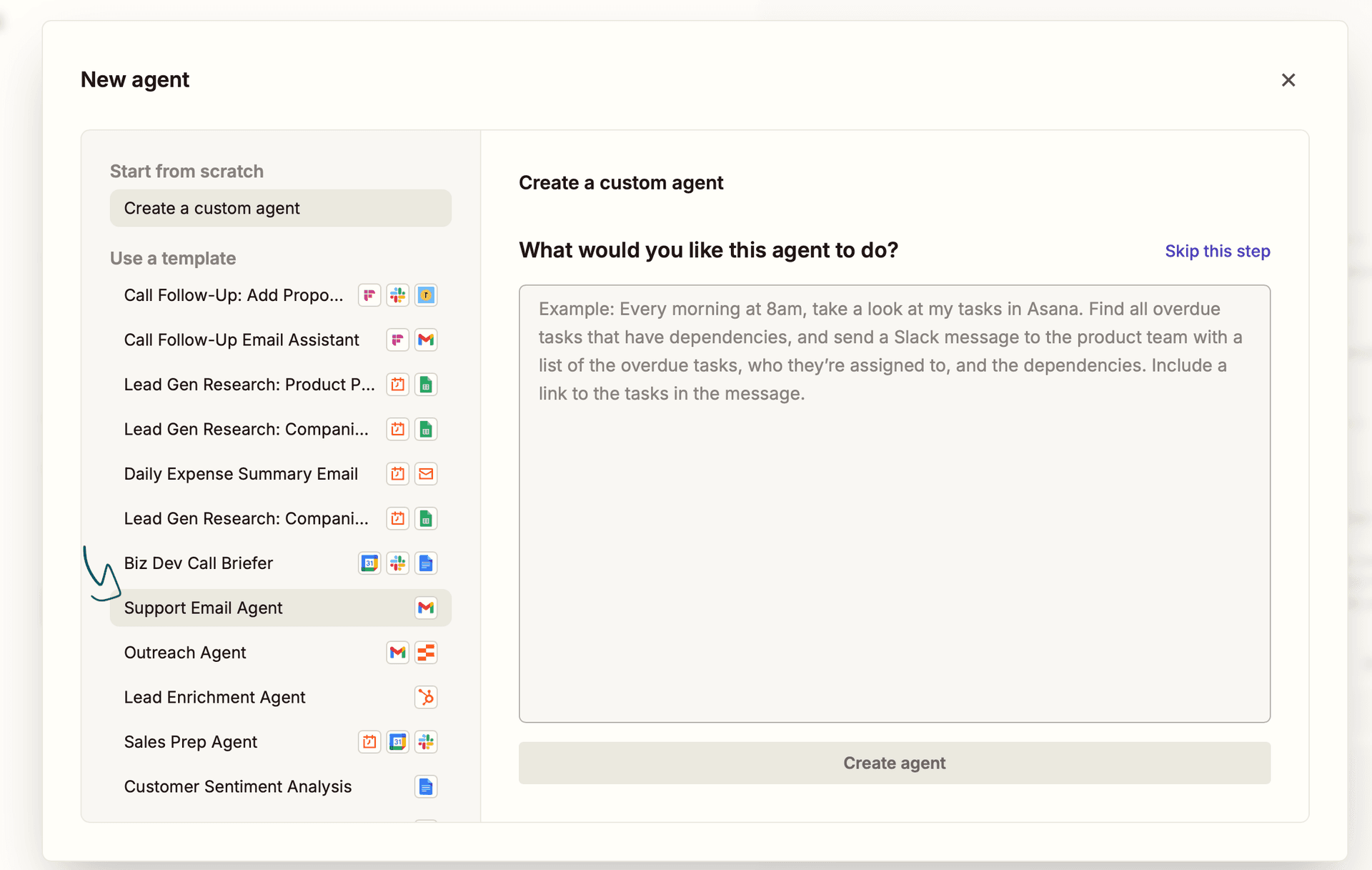
Sign in to your Zapier account and head to the Agents section. You'll see an option to create a new agent either from a template or from scratch. I recommend picking the Support Email Agent template. It's already set up for Gmail and saves you a few minutes.
Connect your Gmail
Zapier will ask you to sign in to Gmail. Click the Gmail trigger, hit "Sign in," and allow Zapier access. Once connected, every new email that hits your inbox becomes the trigger for your agent. That's it for this step.
Write your instructions
This is the most important part. You're telling the agent what to do in plain English. No code. Just write it like you're explaining it to a new teammate.
Upload your knowledge base
Got a FAQ doc? A Google Sheet with common Q&As? Upload it here. This is what the agent uses to draft replies. The better your docs, the better the replies. Garbage in, garbage out.
Connect Slack for the fallback
Add a Slack action and pick a channel, I use a private #ai-agent channel. Whenever the agent isn't confident enough to reply, it drops the email in Slack for you to handle manually. You stay in the loop without reading every single message.
Test it
Send yourself a test email. Something simple like "Hey, what are your pricing plans?" Watch the agent read it, check your docs, and draft a reply. If it works great :). If not, go back to step 3 and tweak your instructions. That's the whole loop.
The instructions matter most
Here's a simple template that actually works. Copy it, change the details, and you're good:
You are an AI email assistant for [Your Name/Company].

When a new email comes in:
1. Read the email and decide what the person is asking about
2. Check the knowledge base I uploaded for a matching answer
3. If you find a good match, draft a reply in a friendly, professional tone
4. If you're not sure or can't find the answer, send the email to the Slack channel instead of guessing

Never make up information. If it's not in the docs, don't reply.
Always sign off with: "Thanks, [Your Name]"
Be specific about tone. "Friendly and professional" works. "Sound like a human, not a robot" also works. The agent follows your instructions closely the more detail you give, the better it sounds.
What it looks like in action
New email comes in → agent reads it → checks your docs → drafts a reply (or pings Slack).
The whole thing runs in about 10 seconds. You open Slack and see either a draft waiting for your approval, or nothing at all because it already handled it.
Real numbers from my first week
| Metric | Before | After |
|---|---|---|
| Time on email per day | 45 min | ~10 min |
| Emails handled automatically | 0 | ~70% |
| Emails I still handle manually | All of them | Only the tricky ones |
| Angry customers | Sometimes | Zero so far |
70% of emails handled without me touching them. That's not a joke. That's real time back in my day.
Things to watch out for
At least at first have the agent draft replies, not send them. You want to review what it's saying before it goes out under your name. Once you trust it, you can switch to auto-send later.
Your knowledge base goes through Zapier's AI. Don't put passwords, client secrets, or anything private in there. Keep it to general FAQ stuff only.
Want to go further?
Once your basic email agent is working, here's what you can add next:
- CRM updates: automatically log new leads into HubSpot or Notion when someone emails you
- Priority alerts: have it flag urgent emails to a separate Slack channel
- Follow-ups: if someone doesn't reply in 48 hours, have it send a gentle nudge
Each one is just another instruction added to your agent. Same process, zero code.
You don't need to be technical to have an AI handle your email. Zapier makes it simple. Start with the basics, test it, and add more as you get comfortable.
Build Your Agent Now
No affiliate links in this post. Zapier's free plan is genuinely enough to get started, I'm not trying to sell you anything. Just sharing what worked for me.